
Shared inbox
A shared WhatsApp inbox for your bus company’s support team
A shared WhatsApp inbox lets your whole bus team answer passengers from one number. In BusBot, each conversation is claimed by or assigned to an agent, so two people don’t end up answering the same passenger. Agents add internal notes, labels and saved replies, and supervisors see every conversation and who is handling it.
The process
How does a conversation move through the shared inbox?
-
1
A message arrives
A passenger messages your WhatsApp number. It lands in Unassigned, or goes straight to an agent if auto-assign is on.
-
2
An agent claims it
An agent takes the conversation by replying. If another agent already holds it, BusBot stops the second reply. Supervisors can also reassign it.
-
3
Reply, note, label
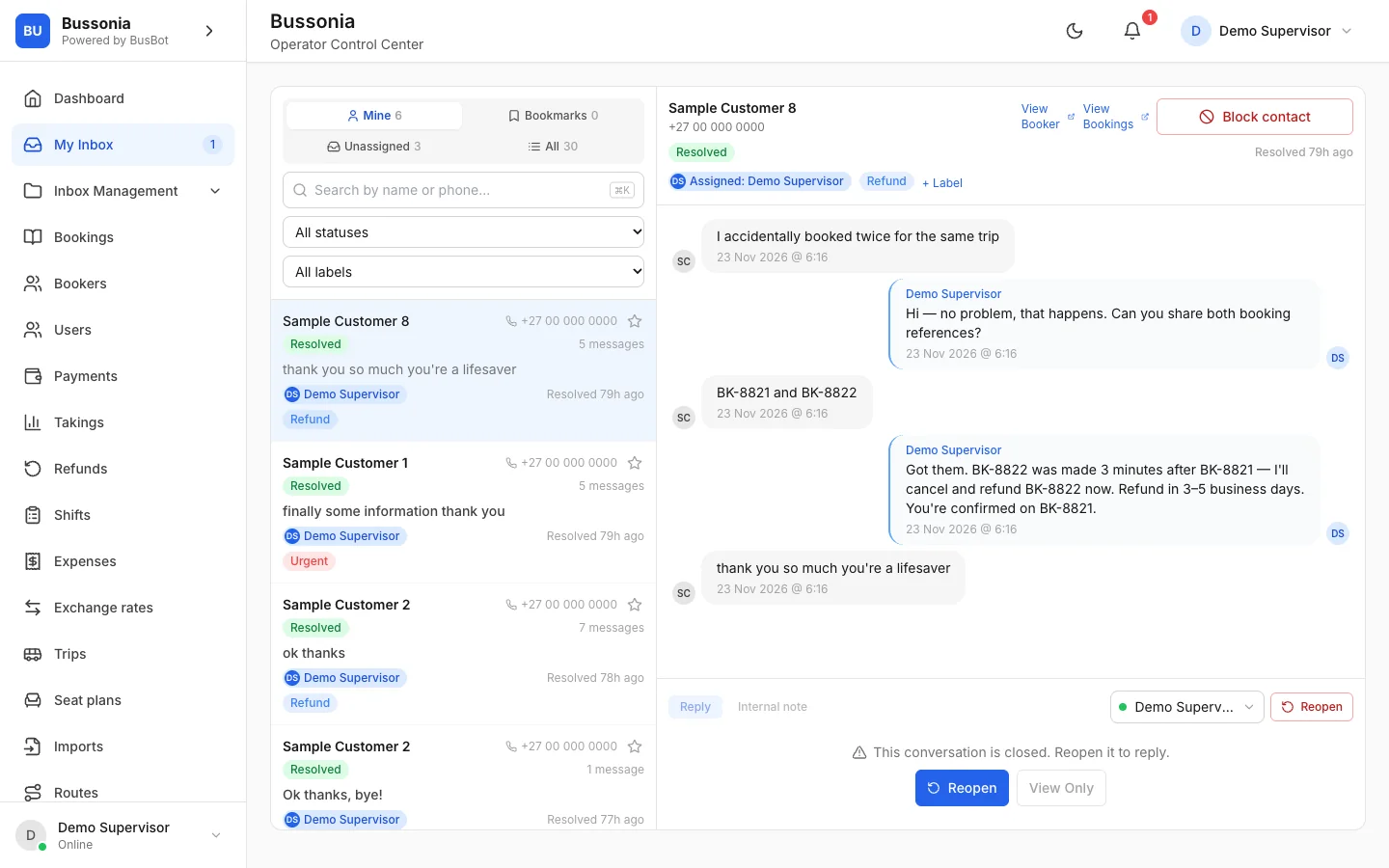
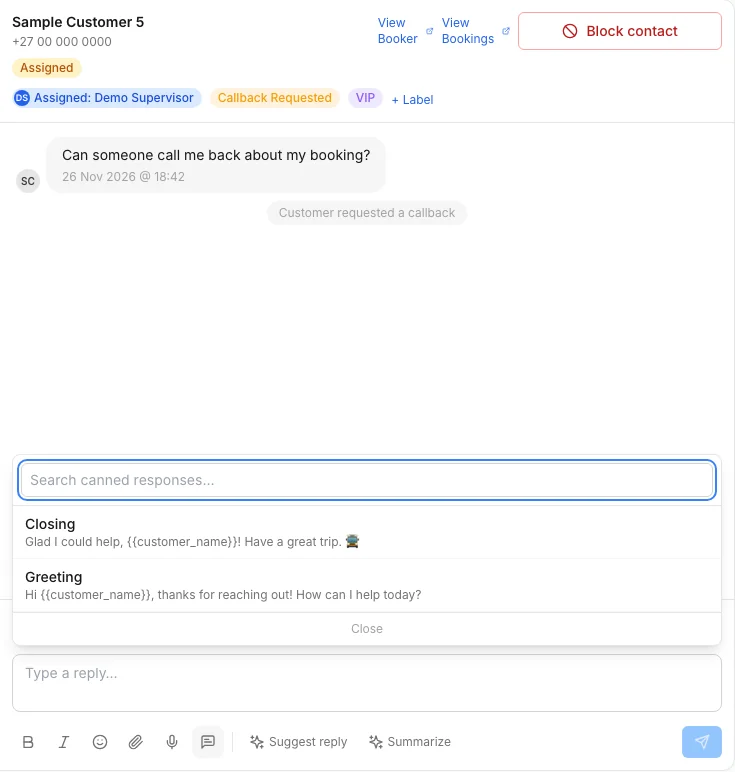
Agents reply with text, photos or voice notes, leave internal notes with @mentions, and add labels such as Urgent, VIP or Refund.
-
4
Resolve
The agent marks the conversation resolved. A resolved conversation can be reopened if the passenger writes again.
In the inbox
What can agents do in the shared inbox?
- Work from tabs for Mine, Bookmarks, Unassigned and All, with counts
- Search by passenger name or phone number, and filter by status or label
- Follow six statuses: New, Assigned, Awaiting Agent Reply, Awaiting Internal Action, Awaiting Customer Reply and Resolved
- Insert saved replies with the passenger’s name and the agent’s name filled in
- Send and receive photos, documents and voice notes
- Leave internal notes and @mention a colleague
- See new messages arrive live without refreshing
Control
How do supervisors stay in control?
Assignment
Assign or reassign a conversation by hand, or let auto-assign share new chats between online agents, least busy first or in round-robin.
Roles
Give staff a support agent role, which sees their own and unassigned chats, or a supervisor role, which sees every chat plus team views, reports and CSV export.
Knowledge base
Write answers once. BusBot suggests a matching article to the agent, and can send it automatically when the match is strong.
Side by side
What changes with a shared inbox?
| One shared phone or app | BusBot shared inbox | |
|---|---|---|
| Who can answer | Whoever holds the phone | Every agent you add, each with a role |
| Who is handling a chat | Not recorded | The claimed or assigned agent shows on the conversation |
| Talking it through | Side chats elsewhere | Internal notes with @mentions inside the conversation |
| Reply times | Not visible | A reply-time bar on every conversation |
| Outside your hours | The passenger waits | A passenger who asks for a person gets a message that the team is offline |
Part of BusBot customer support. Book a free demo to see the inbox live.
Questions
Frequently asked
Can several agents use one WhatsApp number?
Yes. Every agent you add works from the same BusBot inbox, so the whole team can answer passengers on one WhatsApp number.
How does BusBot stop two agents replying to the same passenger?
An agent claims a conversation by replying. If another agent already holds it, BusBot blocks the second reply, and a supervisor can reassign it.
How are conversations assigned?
Supervisors assign or reassign by hand, agents claim a conversation when they reply, and you can switch on auto-assign to share new conversations between online agents, least busy first or in round-robin.
Can agents leave private notes?
Yes. Internal notes are visible to staff only, and an @mention notifies the colleague you name.
Can agents send photos and voice notes?
Yes. Agents and passengers can exchange photos, documents, audio and video within WhatsApp’s size limits.
What roles can support staff have?
A support agent sees their own and unassigned conversations. A support supervisor sees every conversation, the triage and team views, reports and CSV export.
Can I search past conversations?
Yes. Search by passenger name or phone number, and filter by status or label.
Explore BusBot
More ways BusBot helps bus operators
See your whole operation in one place
Book a free demo and we’ll show you how BusBot handles tickets, parcels, expenses, payments and customer support for an operator like yours.