
Expense management
Bus expense management: see money out beside money in
BusBot records a bus operator’s daily cash expenses next to the takings they come out of. Agents log fuel, tolls, driver meals, repairs and other costs with a payee, amount and optional receipt photo, larger amounts need a second person’s approval, and everything shows in the takings report alongside sales.
How it works
How do daily expenses sit beside sales?
| Takings only | With BusBot | |
|---|---|---|
| What you see | What came in | What came in and what was paid out |
| Where | Separate records | Takings report with an expenses column |
| Control | Cash taken out unchecked | Receipts, signatures and approval above a limit |
In the dashboard
What do expenses look like in BusBot?
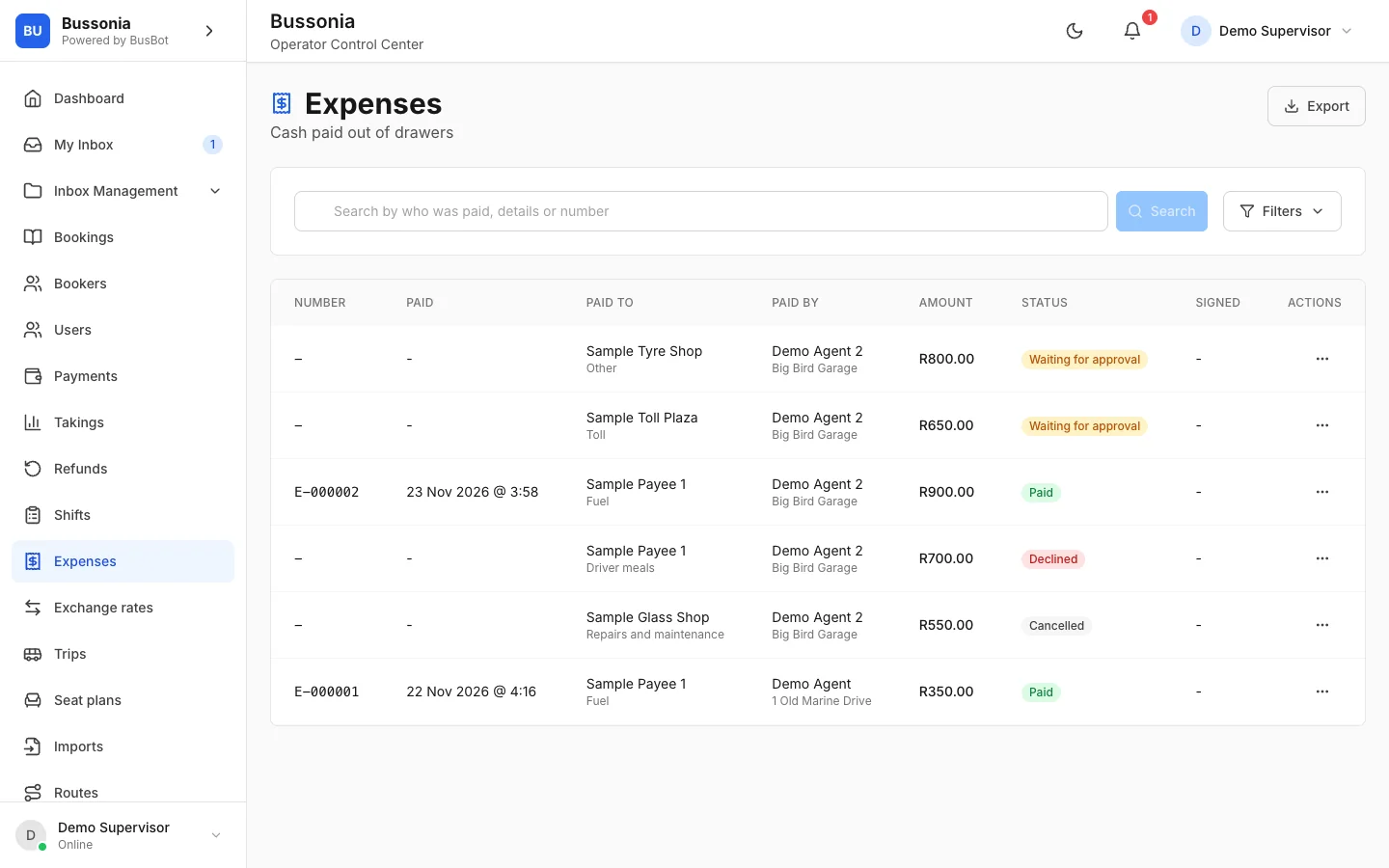
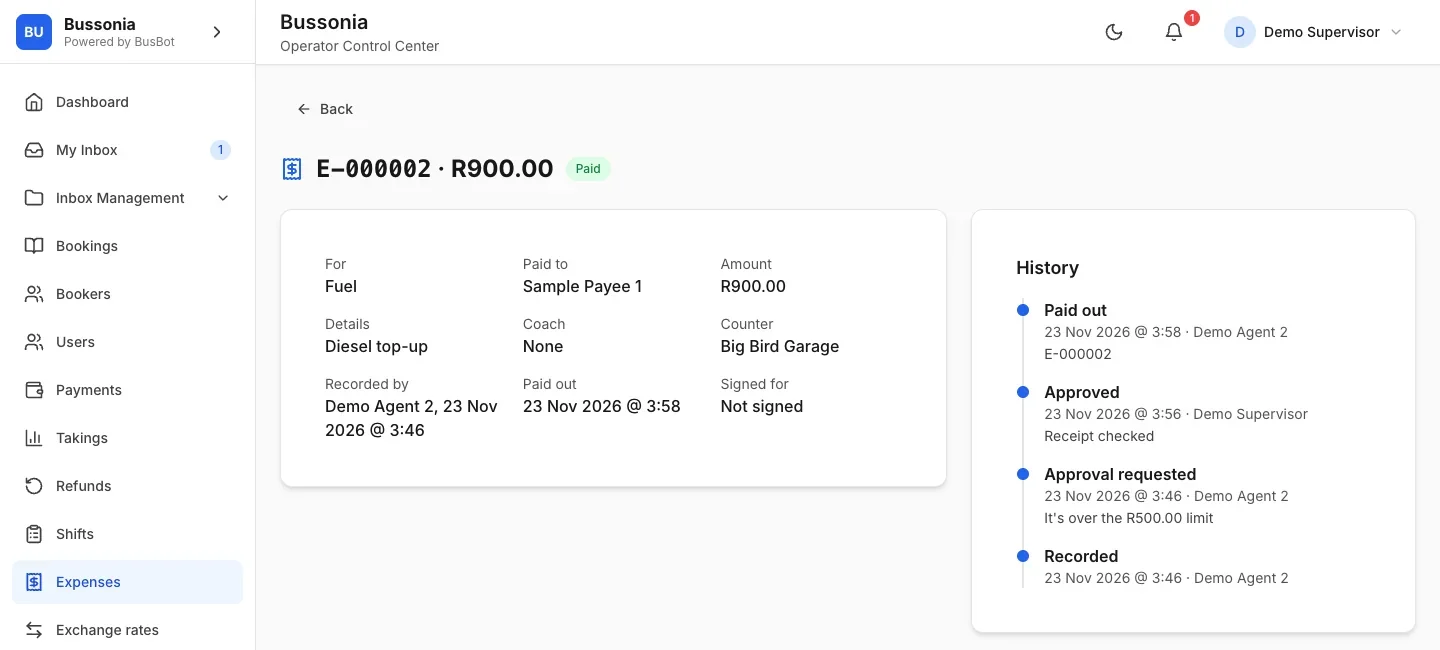
Controls
What controls apply to an expense?
Expenses are paid from the agent’s open shift drawer and recorded as they happen.
- Categories such as fuel, tolls, driver meals, repairs, bus wash, parking and border fees
- Optional link to a trip and a coach
- Receipt photo, required for the categories you choose
- On-screen signature from the person taking the cash
- Approval by a second person above your limit, never the person who raised it
- Duplicate warning, and expenses are voided with approval rather than edited
- CSV export
Want to see this on your own routes? Book a free demo and we’ll walk you through it.
Questions
Frequently asked
How do bus operators track daily expenses?
With BusBot, agents record each cash expense from their shift drawer with a payee, amount, category and optional receipt photo, and it appears in the takings report.
How do I know what a trip really earned?
Record each expense against its trip or coach, then see money out beside money in in the takings report.
Do expenses need approval?
Above the limit you set, an expense waits for a second person to approve it. It can never be approved by the person who raised it.
Can we require receipts?
Yes. You choose the categories that need a receipt photo, and an expense without one cannot be saved.
Can I export expenses?
Yes. Expenses can be exported as CSV.
Explore BusBot
More ways BusBot helps bus operators
See your whole operation in one place
Book a free demo and we’ll show you how BusBot handles tickets, parcels, expenses, payments and customer support for an operator like yours.