SLAs and reports
Support SLAs, reply times and reports for bus operators
BusBot shows how long every WhatsApp conversation has waited with a colour-coded reply-time bar. Supervisors see SLA breaches, the longest waits and who is online, then review each agent’s performance and passenger satisfaction scores. The assigned agent is notified when a conversation goes overdue.
The reply-time bar
How does the reply-time bar work?
Each conversation waiting for an agent carries a bar that moves from green towards red as its reply deadline gets closer.
- By default each conversation has a 60-minute reply target, counted from the passenger’s last message
- The bar moves from green through yellow and orange to red as the deadline nears, and stays red once it is missed
- It shows how long is left, or how long the conversation is overdue
- It pauses while the conversation is waiting on the passenger or on internal work
- The assigned agent is notified when a conversation goes overdue
For supervisors
What do supervisors see?
Triage
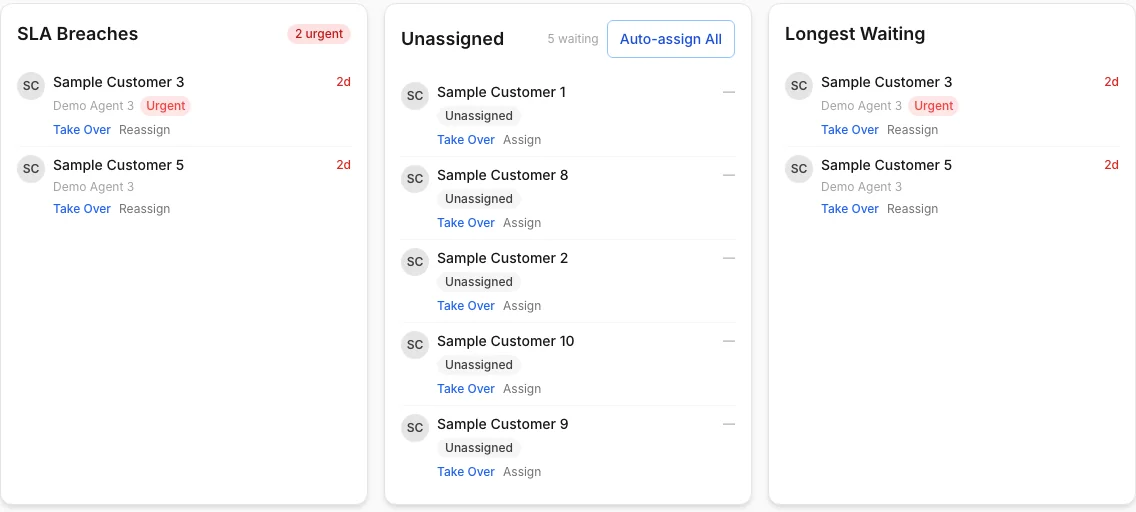
Conversations in the queue, average wait, SLA breaches, the longest wait, chats closed today, satisfaction and agents online. Lists of breaches, unassigned chats and the longest waits come with Take Over, Reassign and Auto-assign All.
Team
Each agent’s workload and who is online, so you can see where conversations are piling up.
Performance
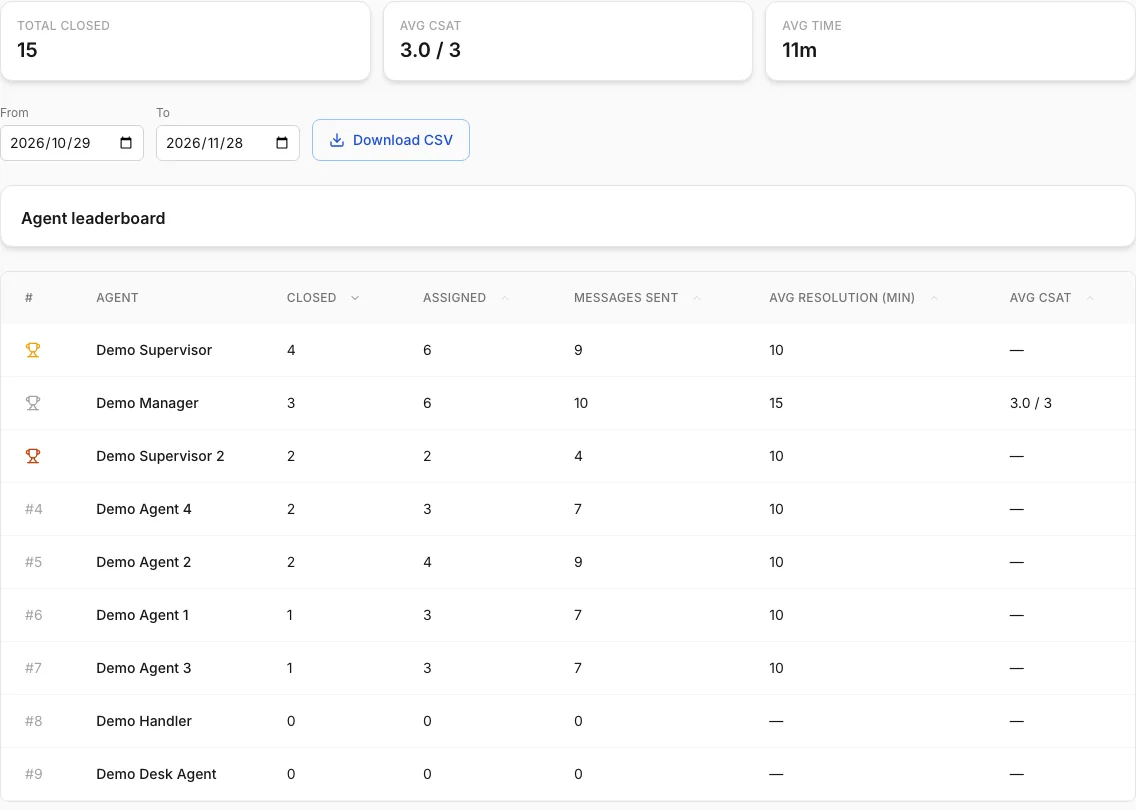
A leaderboard, each agent’s own performance view and a team average, with CSV export.
Satisfaction
How do you measure passenger satisfaction?
When a conversation is resolved, BusBot can send the passenger a short WhatsApp survey. They choose whether to rate you, pick Great, Okay or Not great, and can add a comment. The score, out of 3, shows against the conversation and in the satisfaction figure on the dashboard.
Business hours
What happens outside business hours?
Set your business hours. Outside them, a passenger who asks for a person gets a message that the team is offline, and new conversations are not auto-assigned. Part of BusBot customer support. Book a free demo to see the dashboard.
Questions
Frequently asked
What is an SLA in customer support?
A service level agreement is a response-time target. In customer support it is how quickly you aim to reply once a customer has written.
How does BusBot show SLAs?
Each conversation waiting for an agent shows a colour-coded reply-time bar, and supervisors see SLA breaches and the longest waits on the triage screen.
Can I change the 60-minute reply target?
Not from the settings page today. The default target is 60 minutes from the passenger’s last message. Ask us if you need a different one.
How is passenger satisfaction measured?
After a conversation is resolved, BusBot can send a short WhatsApp survey and scores the answer out of 3.
Can I see how each agent is performing?
Yes. Supervisors get a leaderboard and a team average, and each agent has their own performance view. Reports can be exported as CSV.
Does the reply-time bar stop outside business hours?
No. The bar counts elapsed time whether or not business hours are set, so a message that arrives overnight may already be overdue when your team starts.
Can I export the reports?
Yes. The performance reports can be exported as CSV.
Explore BusBot
More ways BusBot helps bus operators
See your whole operation in one place
Book a free demo and we’ll show you how BusBot handles tickets, parcels, expenses, payments and customer support for an operator like yours.